
NFS-base input mounting is a new option for locating the input data file. By default, your input document is part of the Exchange data holder. You can change the default location by adding a Custom or Container step after the Input Trigger of your pipeline. All the rest of the additional files will not be able define and change that behavior.
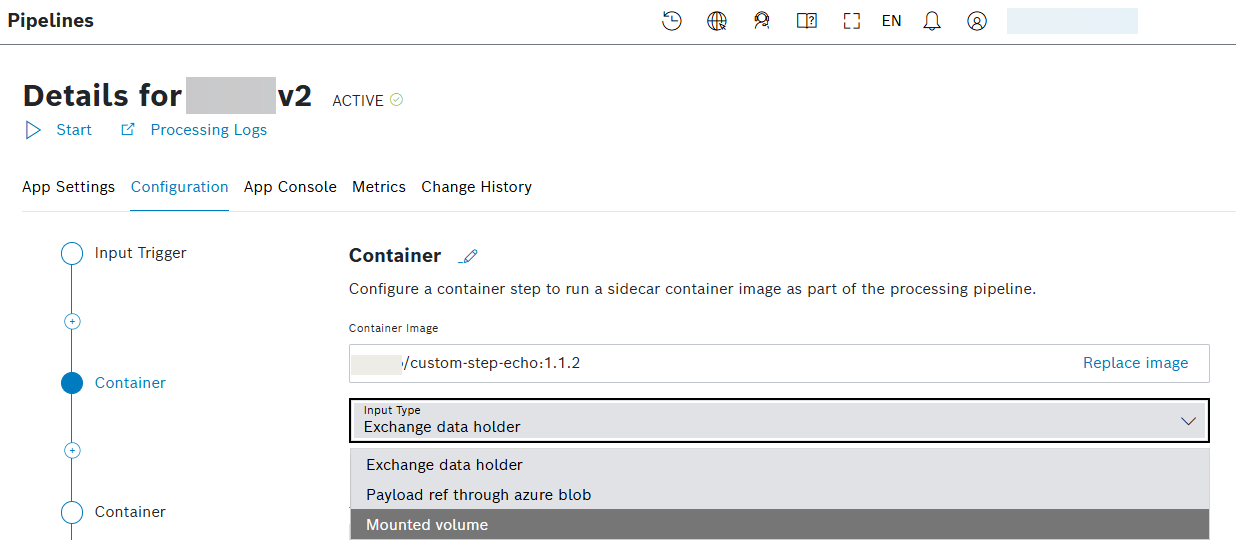
When your first step after the Input Trigger is a Container, you can choose the new Mounted volume option from the Input Type dropdown to enable the NFS-based input mounting:
If your first step after the Input Trigger is Custom, you have to define how to fetch and process the input data in the input section of the manifest file. The new option, providing the NFS-based input mounting, is described below:
- insights-payloadFile+json: The input document is provided as a file on an NFS-mounted shared volume. The data is then not included inline but the
ExchangeDataHoldercontains the field ‘payloadFile‘ with a path to the actual file.
For more information on how to configure the steps, refer to Configuring a pipeline, Pipelines: Configuring the custom step, and Pipelines: Configuring the container step.