
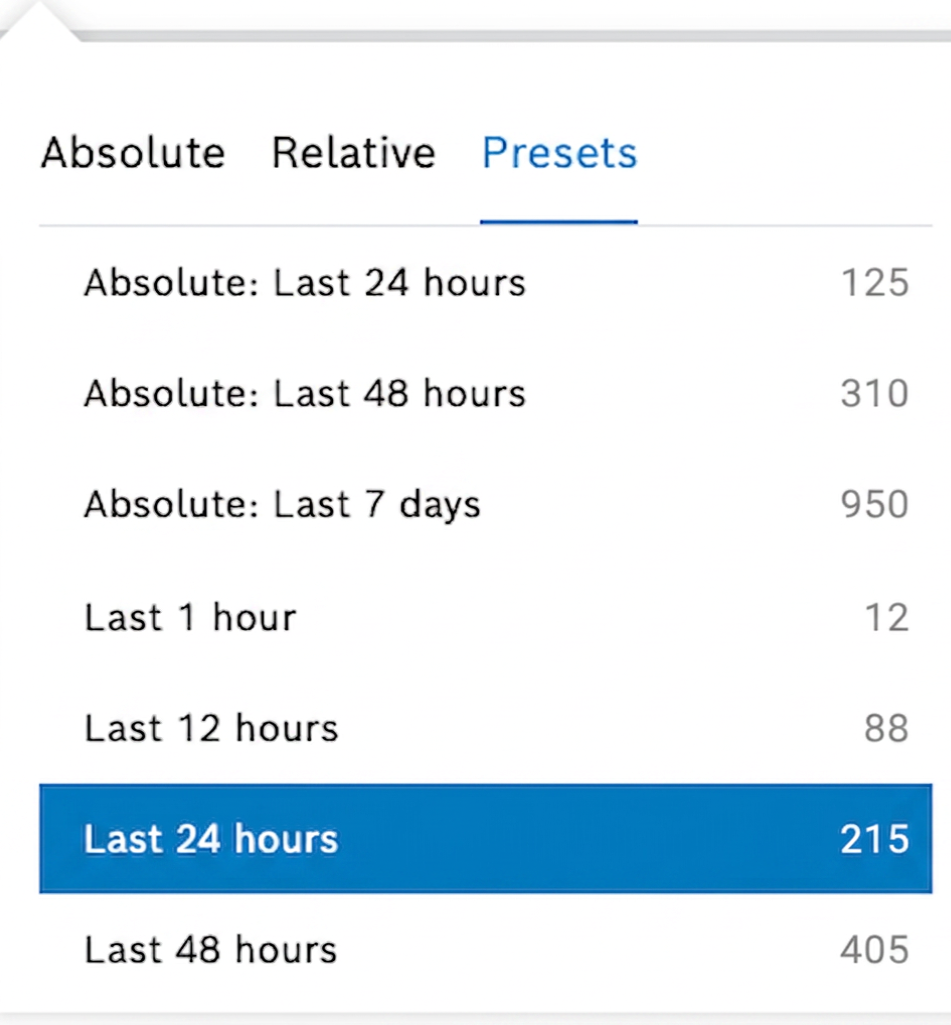
To improve facet search usability, we introduce Presets view of time range in the Calendar results, to show the matching item counts displayed directly not only under the date of the Calendar, but also next to the predefined presets of, e.g. Last 24 hours, Last 48 hours, etc.:
To keep correct days across Daylight Saving Time changes, the daily step uses the dst_zone parameter of @time_range. The dst_zone parameter must not be used with the hourly step.
To learn more about faceted search, refer to Configuring the faceted search and Query templates: Faceted search.