
To spear you from manually adding the navigation path when dashboards navigate to the same detail views from different entry points, we have introduced a new context parameter currentUrl to the list of the default Insights parameters:
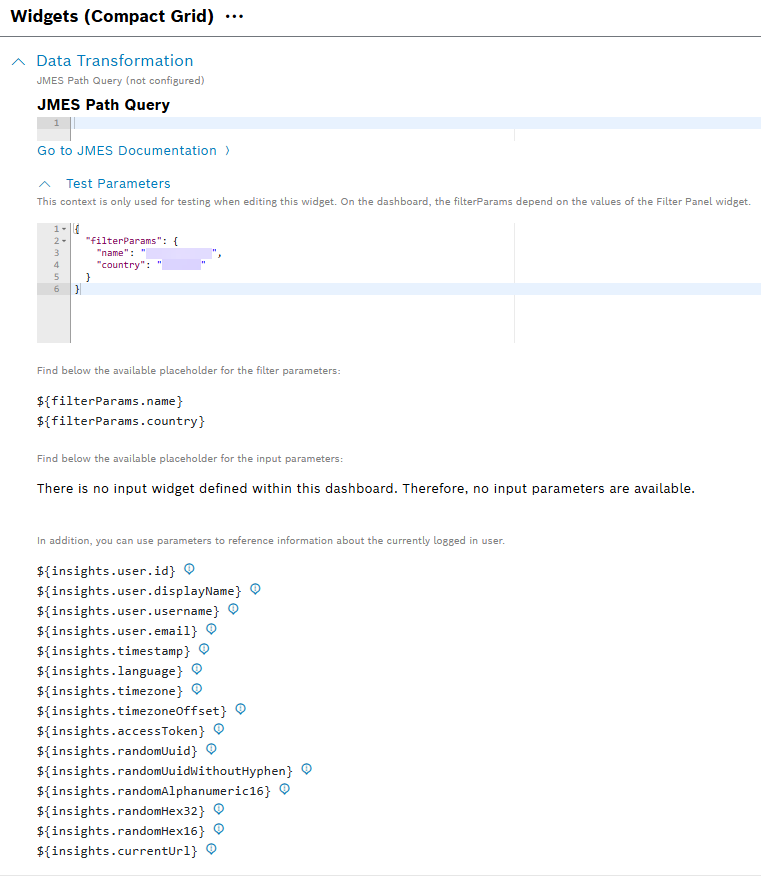
The parameter is available in the basic widget context. The following is an example of how to set the link with the ${insights.currentUrl} placeholder:
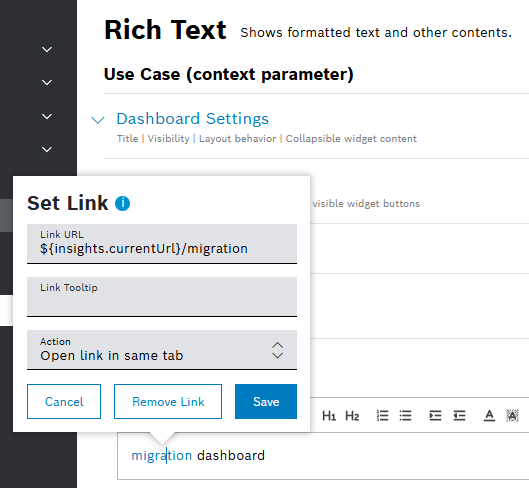
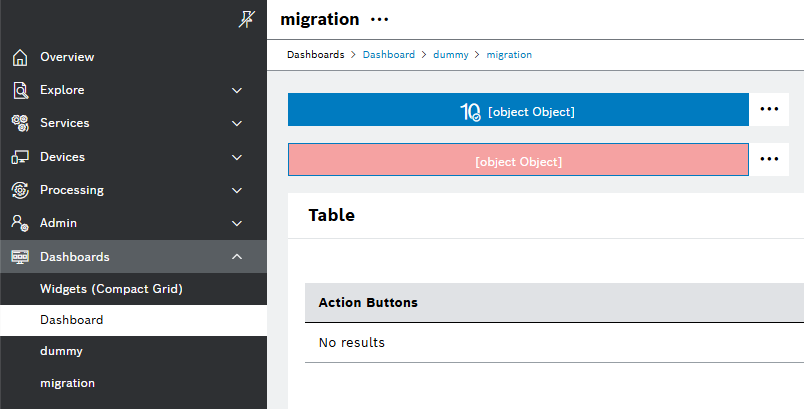
The new navigation context parameter currentUrl allows widgets to build URLs relative to the current dashboard path. Navigation using the current URL reference results in correct breadcrumb hierarchy as described in the following example:
The dashboards of Widgets (Compact Grid) and Dashboard can both navigate to shared views, but via different URL paths. For example, migration can be reached through:
- /Widgets (Compact Grid)/dummy/migration
- /Dashboard/dummy/migration
Similarly, dummy can be accessed from both dashboards. The image below is a visualization of the shared migration detail view via Dashboard/dummy path:
For more information about the breadcrumbs, refer to the Nesting a dashboard section of Dashboards user guide.