
You can now use and publish the data coming from a Custom widget as a data source. To support this feature, the Custom widget’s manifest file is extended by data source parameters of type int, string, float, boolean, date, datetime, and datetimerange. For a code example, refer to Configuring the manifest file developer guide.
Two functions allow you to expose your custom widget as a data source:
publishDataSource(dataSourceName: string, data: any[]), called by the Custom widget to publish data after a request.handleDataSourceRequests(dataSourceName: string, onDataRequested: (parameters: Record<string, string>) => voidis called by IoT Insights, when another widget requests data.
Find the link to the provided example of Hello Publisher in Using the widget context under the section of Exposing a custom widget as a data source.
Once you add your Custom widget to a project, you can edit the Data Sources to add your custom widget as a data source from the + Add Source dropdown. All provided data source parameters in the manifest file are then displayed accordingly. A red star indicates if the parameter is required:
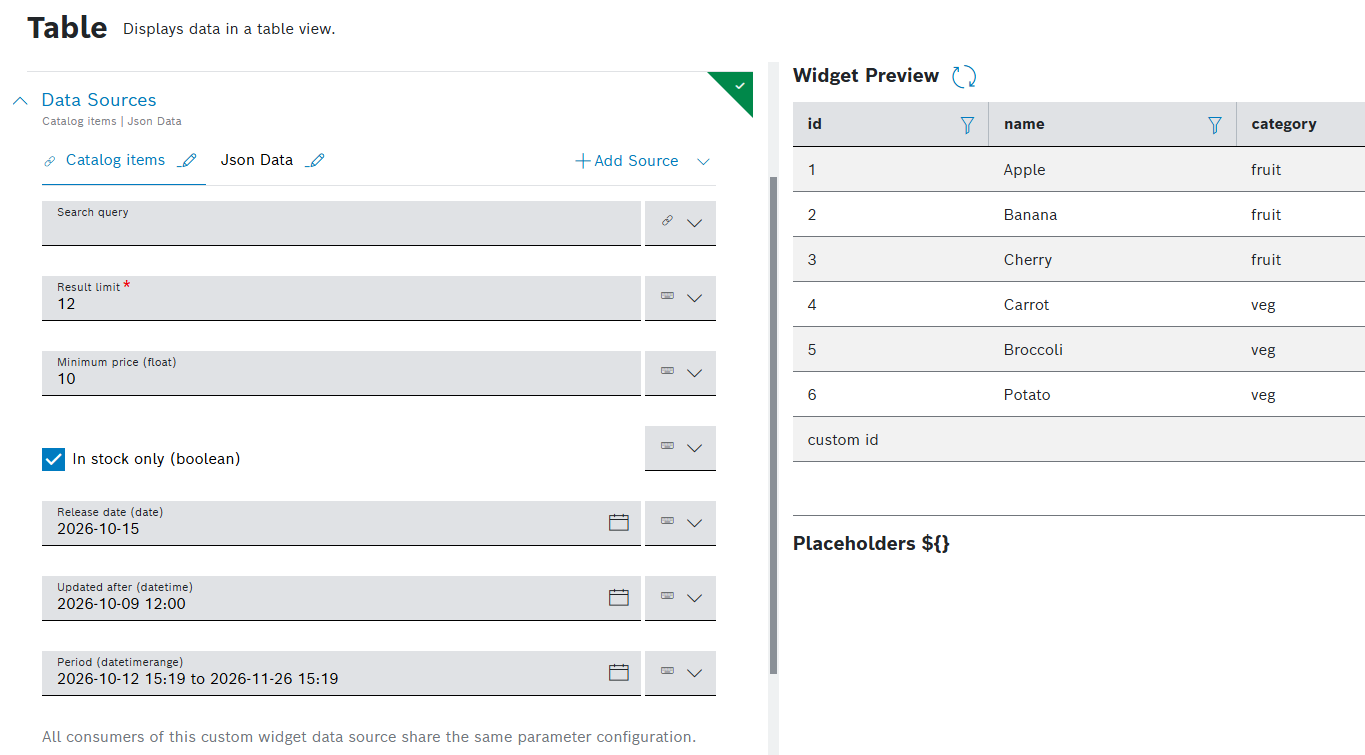
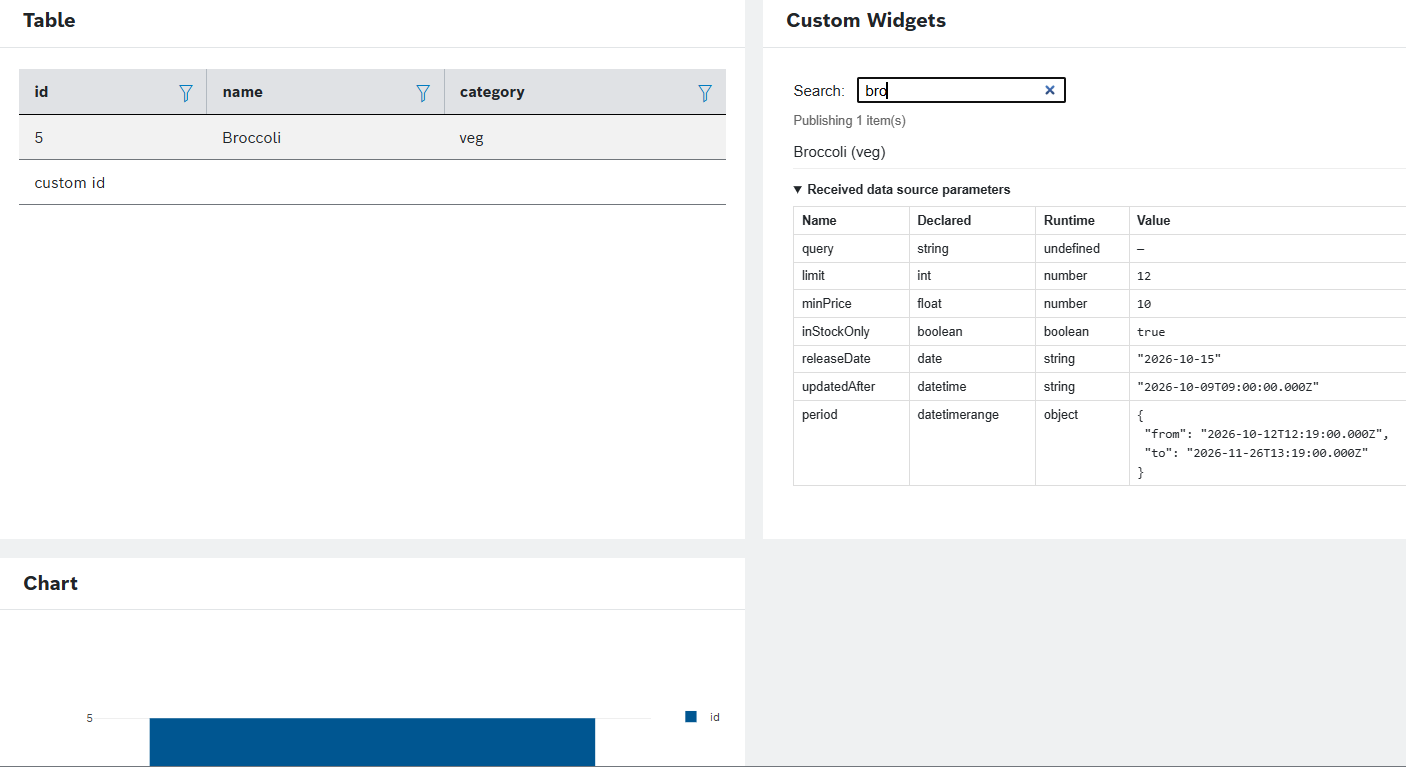
In the example above, you are able to search for a value of the query parameter provided by your Custom widget, and then publish the result in a Table, Charts, and other widgets:
To learn how to create and configure custom widgets, refer to Custom Widgets guide.