
Based on docker containers concept, the container step becomes a successor of the custom step and offers more flexibility on how you provide your custom processing logic. Some of the advantages over the custom step are:
- Pick any programming language. You are no longer restricted to just python or java.
- Run as many processes inside the container as you need.
- Provide environment variables at the step level.
- Provide as much resources as you want for this step alone.
The limitations include:
- The container step feature is not available for free plans.
- Image size cannot exceed 10GB, or it will be rejected during push.
Before creating the container step, you have to prepare your docker image as shown in the Java or Python examples, using any programming language. Tag your images in the right format. Then create an API user with admin role, and use the credentials to login through the docker CLI:
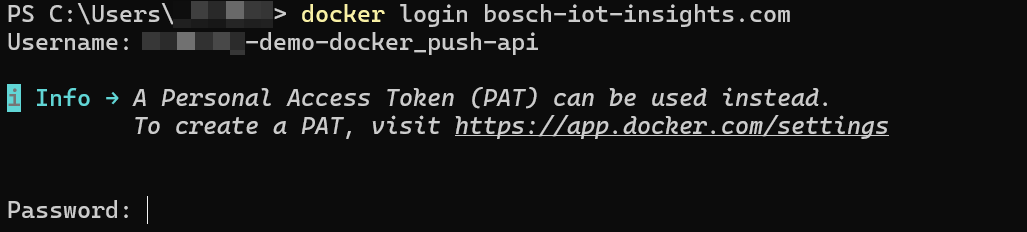
docker push bosch-iot-insights.com/imageregistry/<project>/custom-java-step-container:latestAfter you have pushed you docker image, you can configure the container step as follows:
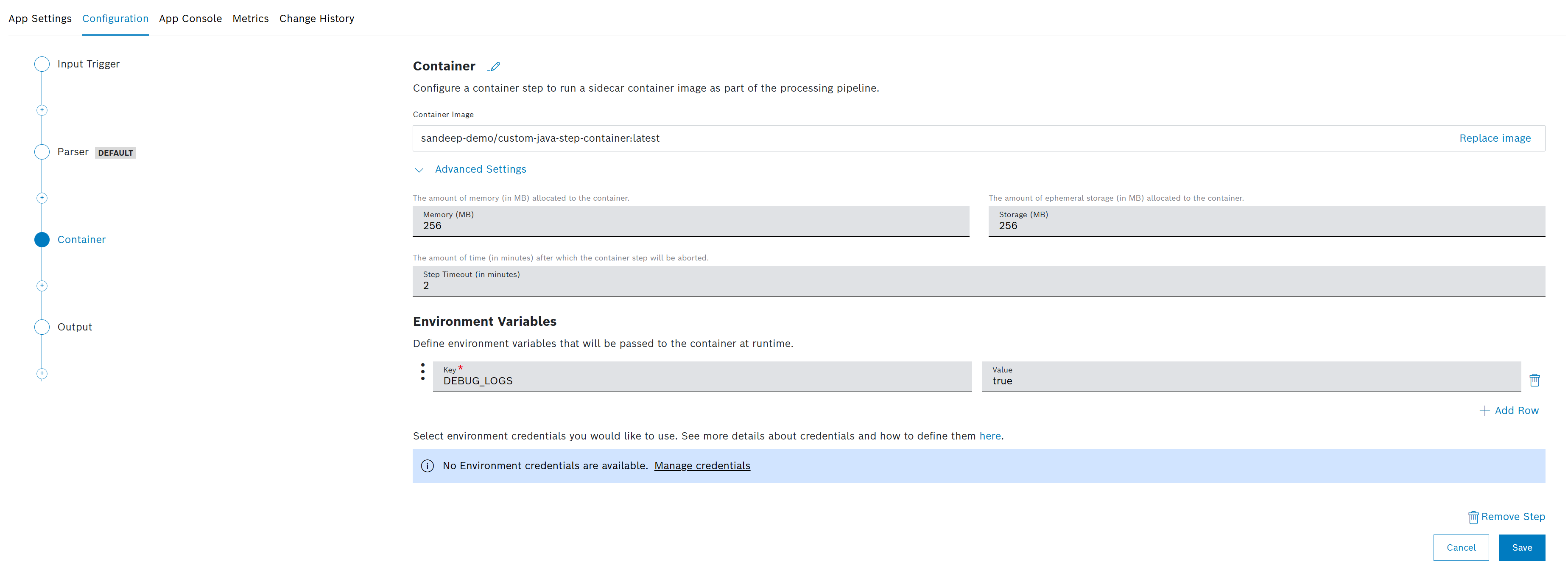
- Create a pipeline as described in Creating a pipeline guide.
- Add a Container step.
- Select the image that you previously pushed.
- Ensure you provide enough resources to the image so that it can function without hitting memory limits.
- Configure the required environments you need. For example, the below screenshot shows that an environment named ‘DEBUG_LOGS’ is set.
To learn how to configure a pipeline, refer to Configuring a pipeline guide. For details and examples about the container step, refer to Pipelines: Configuring the container step.