
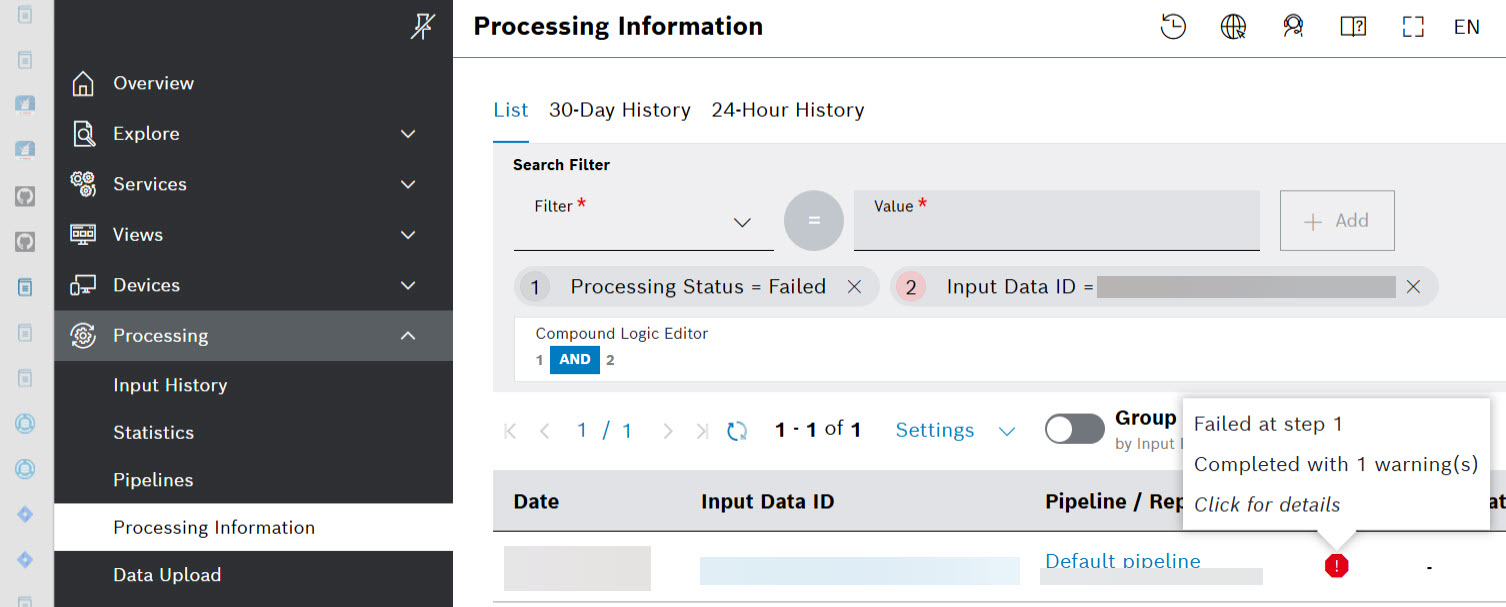
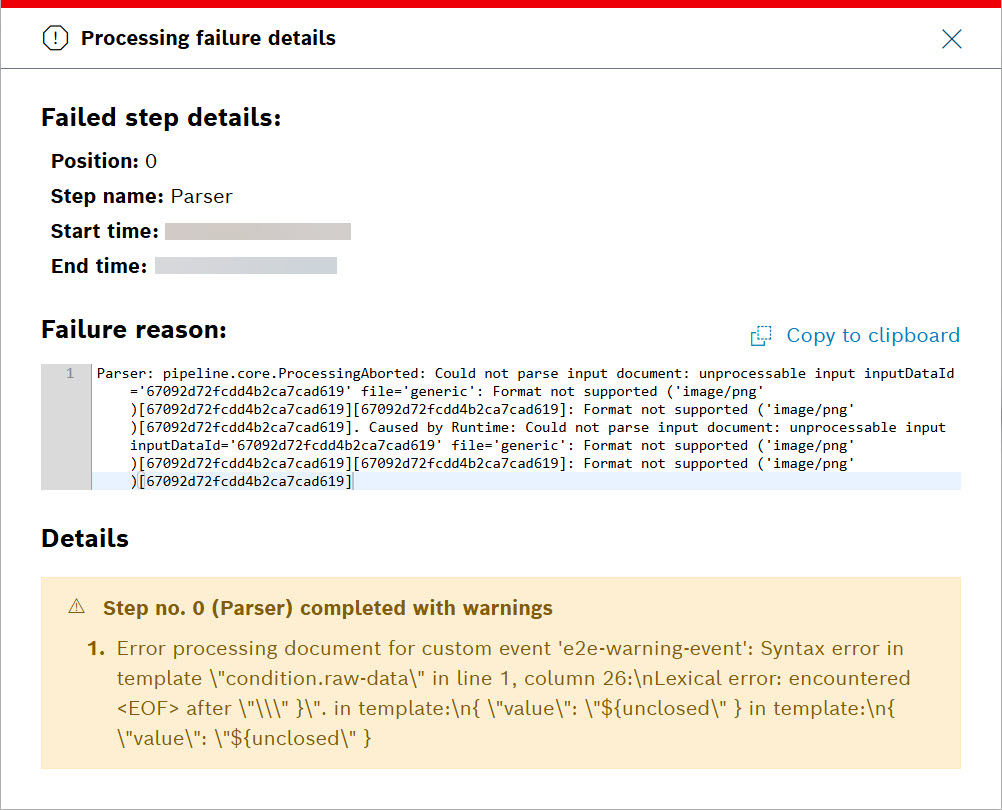
We made the failure icon in the processing information dashboard clickable to display error details in a pop-up window, including warnings:
If one or more steps were finished with warnings, their step execution info contains a list with warnings, too.
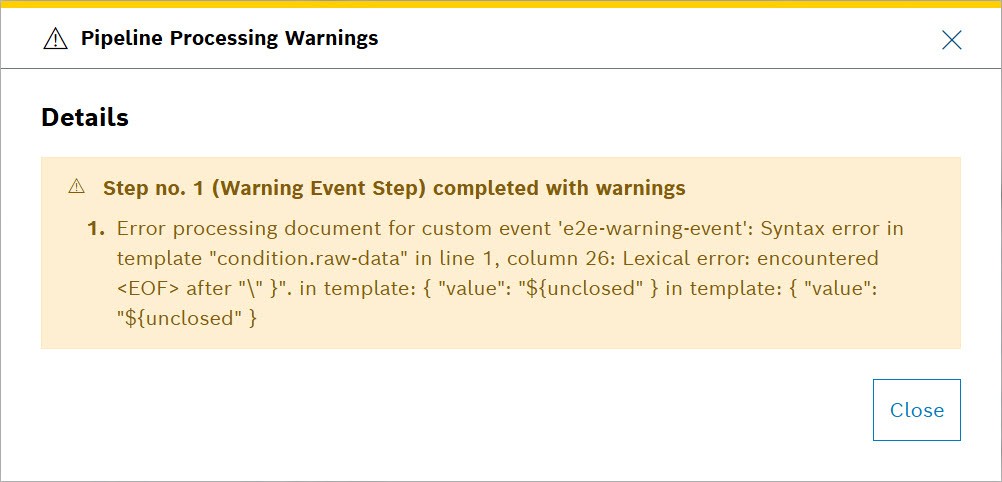
If the status of a processing is “successful with warnings”, a clickable yellow triangle icon in the Status column is displayed:

When you select the icon, more details are provided:
For more information about General functions and more, refer to Processing Information user guide.