
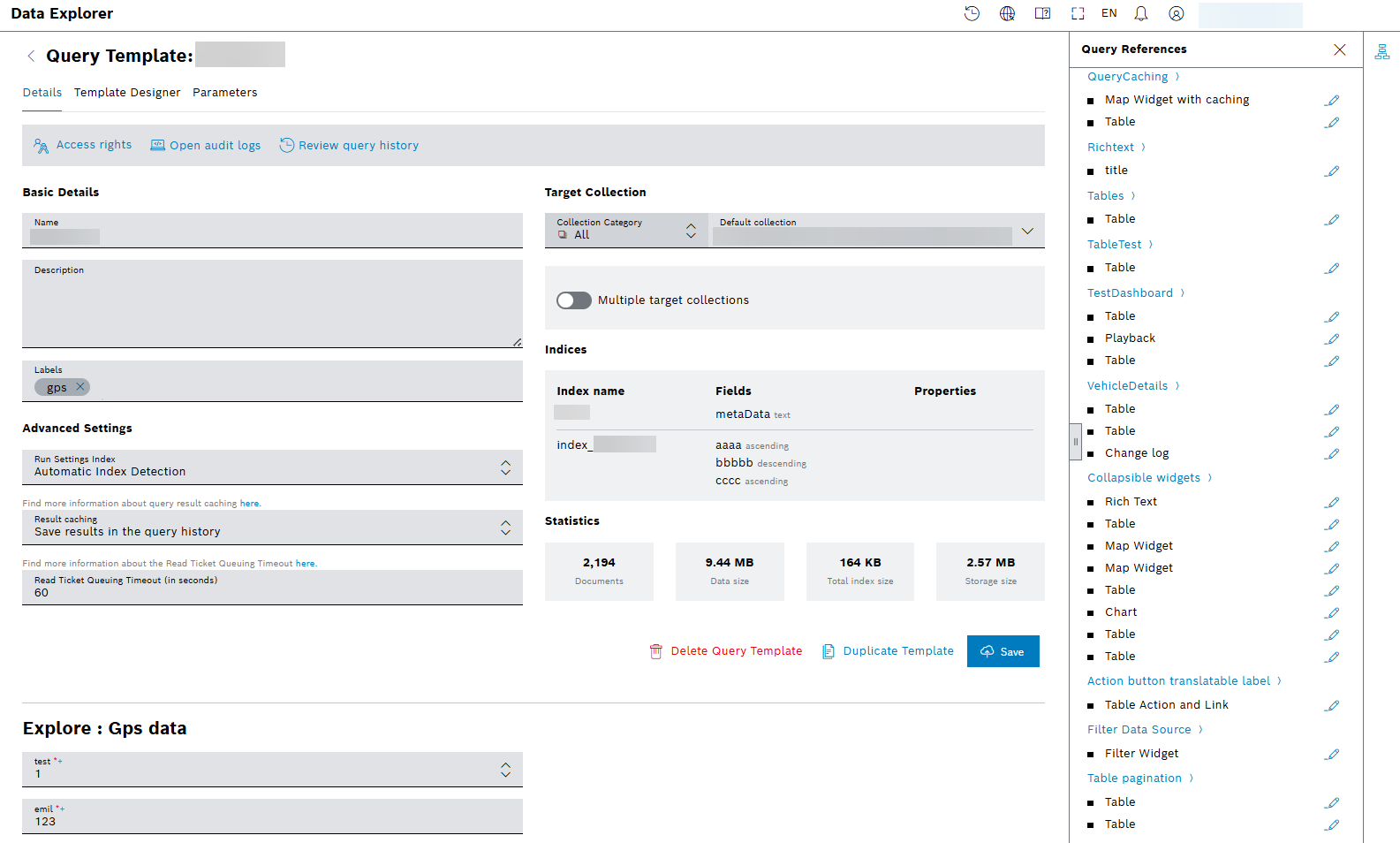
To improve usability and create a more organized workspace, the editor is restructured into a logical, tab-based interface, namely Details, Template Designer, and Parameters tabs. This separates distinct areas of configuration, making the tool cleaner and more intuitive to use.
You can now easily explore the query history with the provided button of

Review query history. From the sidebar on the right, select the newly added icon

to enlist and edit the query references:
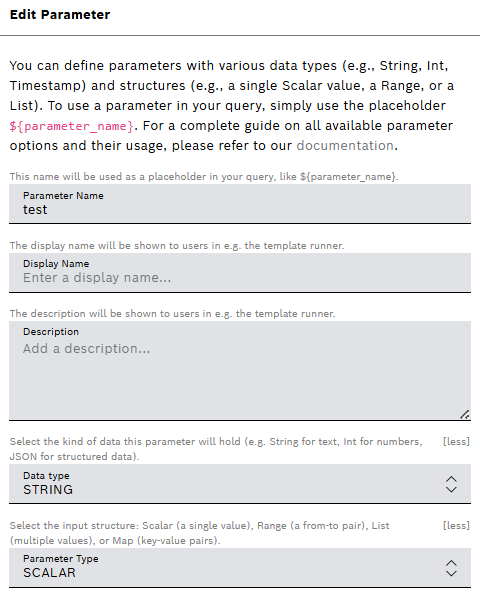
Also, more descriptions are provided to Parameters tab, increasing the user experience:
For more information about query template, refer to Creating a query template user guide, which includes Viewing the query references guide.