
Regarding the Hyperlink/Action button options of the ‘Clickable row’ functionality, the drop-down list also displays all defined hyperlink or action buttons:
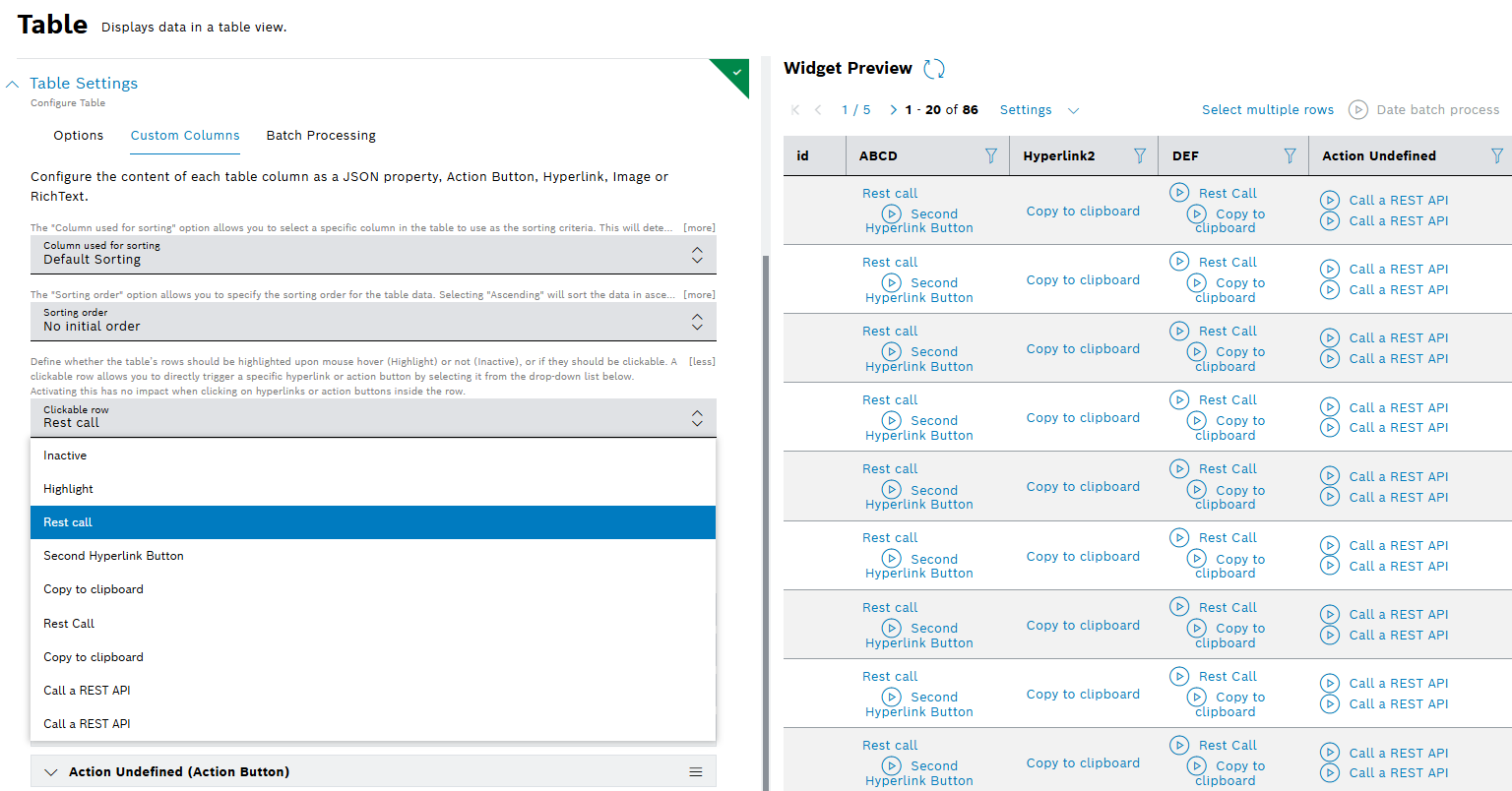
When clicking anywhere on a table’s row, the selected action or hyperlink will be triggered or opened. The mouse cursor will indicate if a row is clickable. If other columns of the table also contain action buttons or hyperlinks, these can be clicked directly in the table. Clickable rows are highlighted by default upon mouse hover.
More information about Table widget is provided in Configuring the table settings user guide.